Finance · Quotations and Customers · Accounts staff and authorised approvers
Preparing quotations and managing customers
Prepare quotations, review their status and maintain customer information.
Updated 8 October 2026
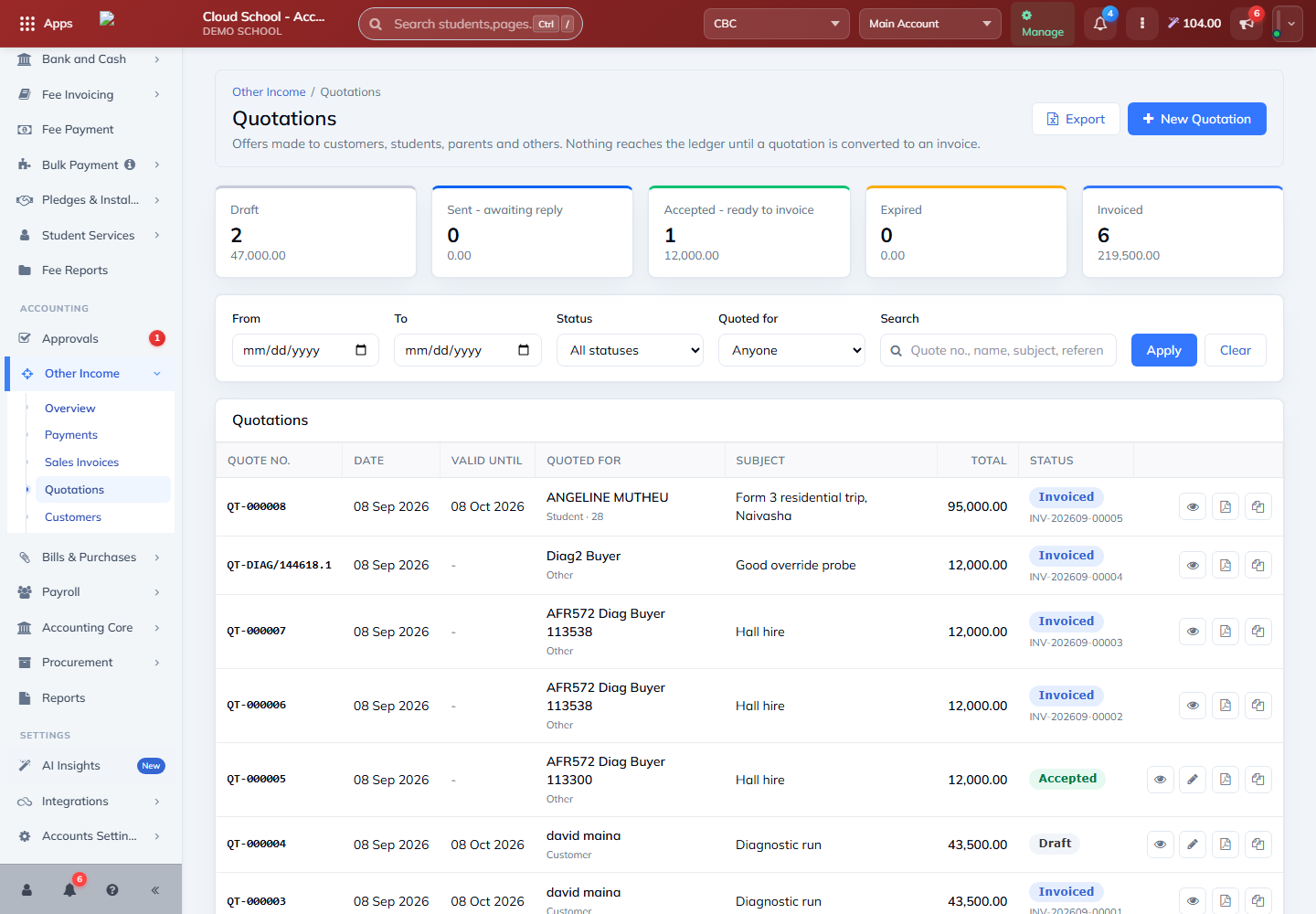
Review quotations
Where to find it: Other Income → Quotations
- Use the date range, status, payer or search filters to find a quotation.
- Check the subject, amount, valid-until date and status.
- Open the quotation to review its detail before printing, sharing or changing its status.
Prepare a quotation
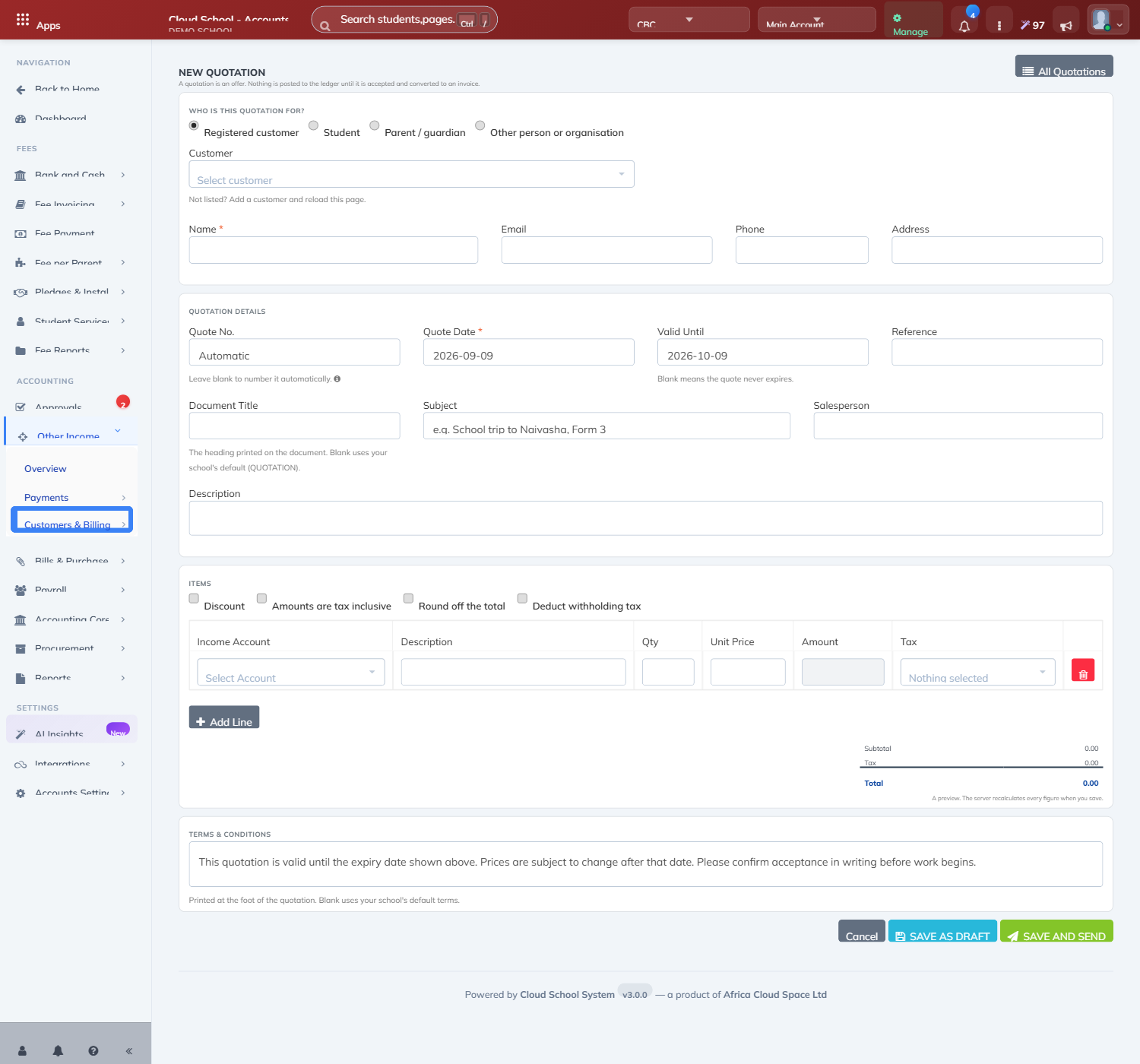
Where to find it: Other Income → Quotations → New Quotation
- Choose the payer: a customer, student, parent or other named person.
- Enter the subject, dates, line descriptions and amounts. Review any discount and tax.
- Save the draft, check its details and use the available print, download or send action when ready.
Note: A quotation is an offer. It does not itself create a posted sales invoice. Only convert an accepted quotation to an invoice after checking the customer, items, amounts and your approval requirements.
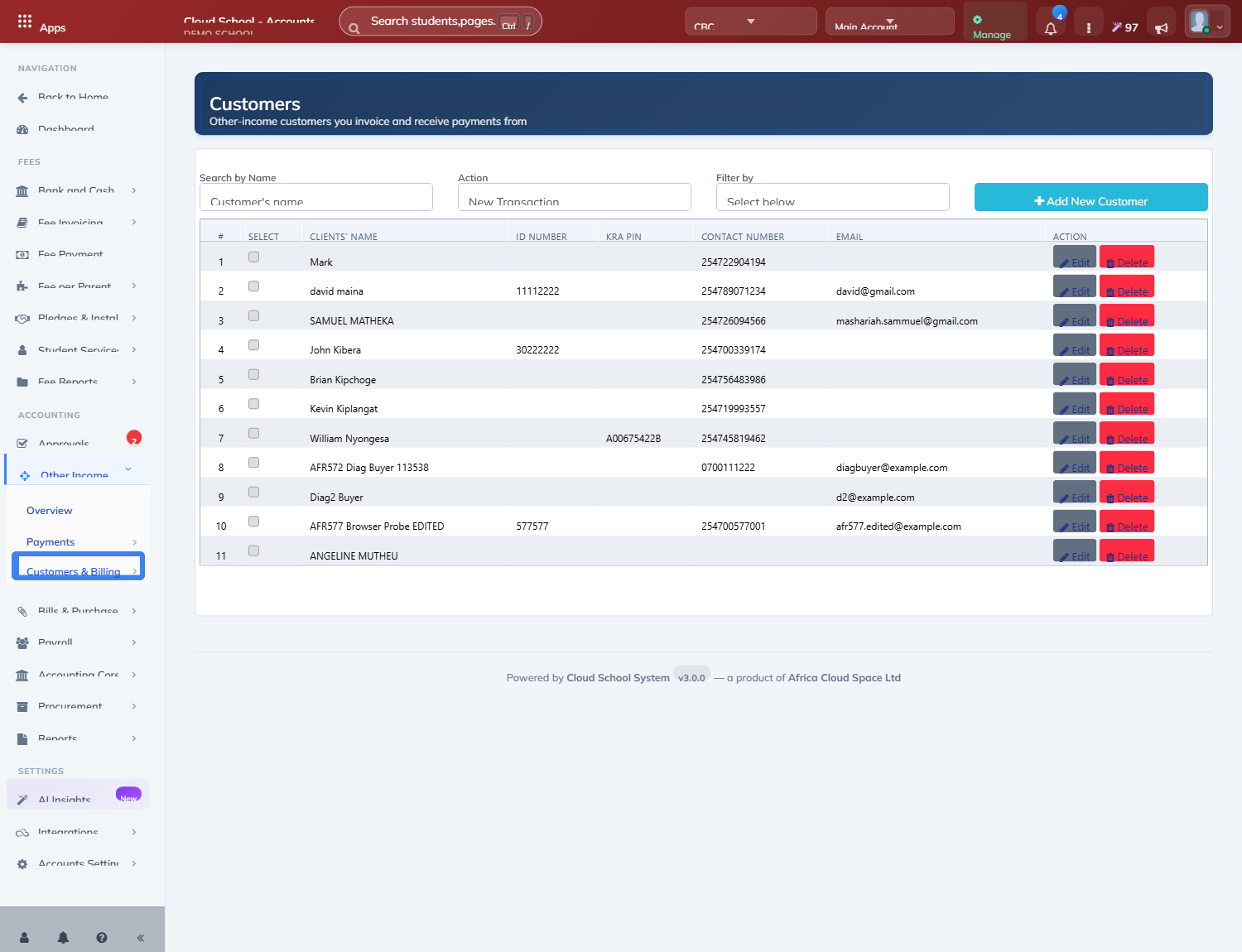
Maintain customer information
Where to find it: Other Income → Customers
- Search the customer list before creating a new customer.
- Open the customer record and check the name and contact details.
- Save updates, then confirm the record is still available for the intended transaction.